post / 2024.09.07
Windows Customization Journey
This article was last updated on 2024-09-07. Please note that the content may no longer be applicable.
Preface
As the saying goes, the pinnacle of customization is the default.
While the default Windows setup can efficiently handle all tasks, it’s undeniably ugly.
With a performance-overkill PC at hand, it’s entirely justified to pursue some aesthetic refinements and simplifications to satisfy my high-end taste (lol).
Below, I’ll share the customization software/solutions I’m currently using or have tried.
Current Desktop Setup
- TranslucentTB: Transparent/acrylic taskbar effects
- Sapphire: Desktop icon interaction optimization
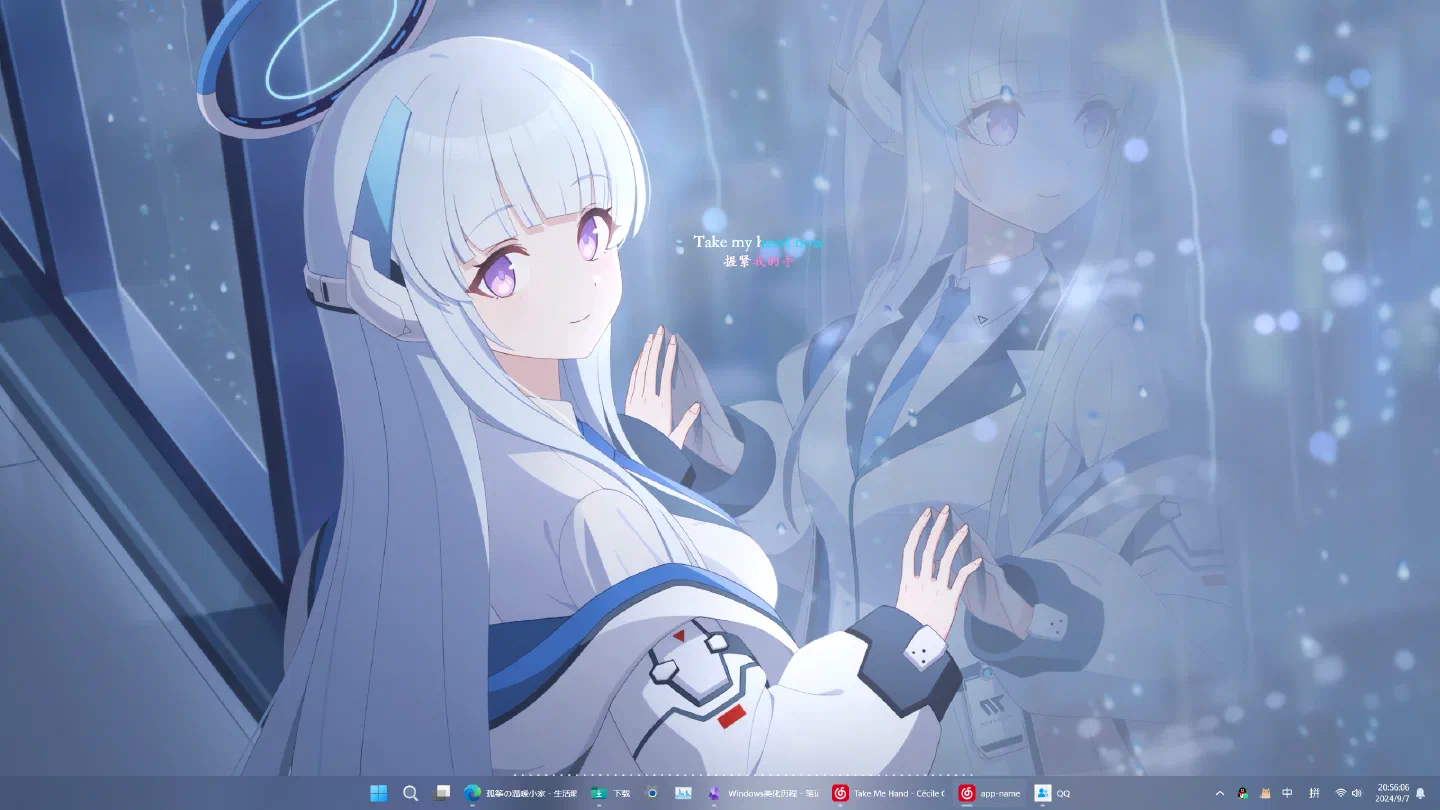
- Wallpaper Engine: To minimize GPU and memory usage, I’ve chosen a 4K video of Noa’s memory lobby from Blue Archive as the wallpaper. The entire Wallpaper Engine process consumes about 100 MB of RAM.
- Rainmeter: Only using an audio visualizer for aesthetics because Noa is already beautiful enough 😋.
Previously tried hardware monitoring widgets but found them useless except for inducing anxiety—so I ditched them. - QQ customization, NetEase Cloud Music customization, cursor customization, Obsidian themes and plugins, plus Edge browser’s iTab new tab page and various practical extensions. My current workflow is perfectly comfortable.
Here are some screenshots: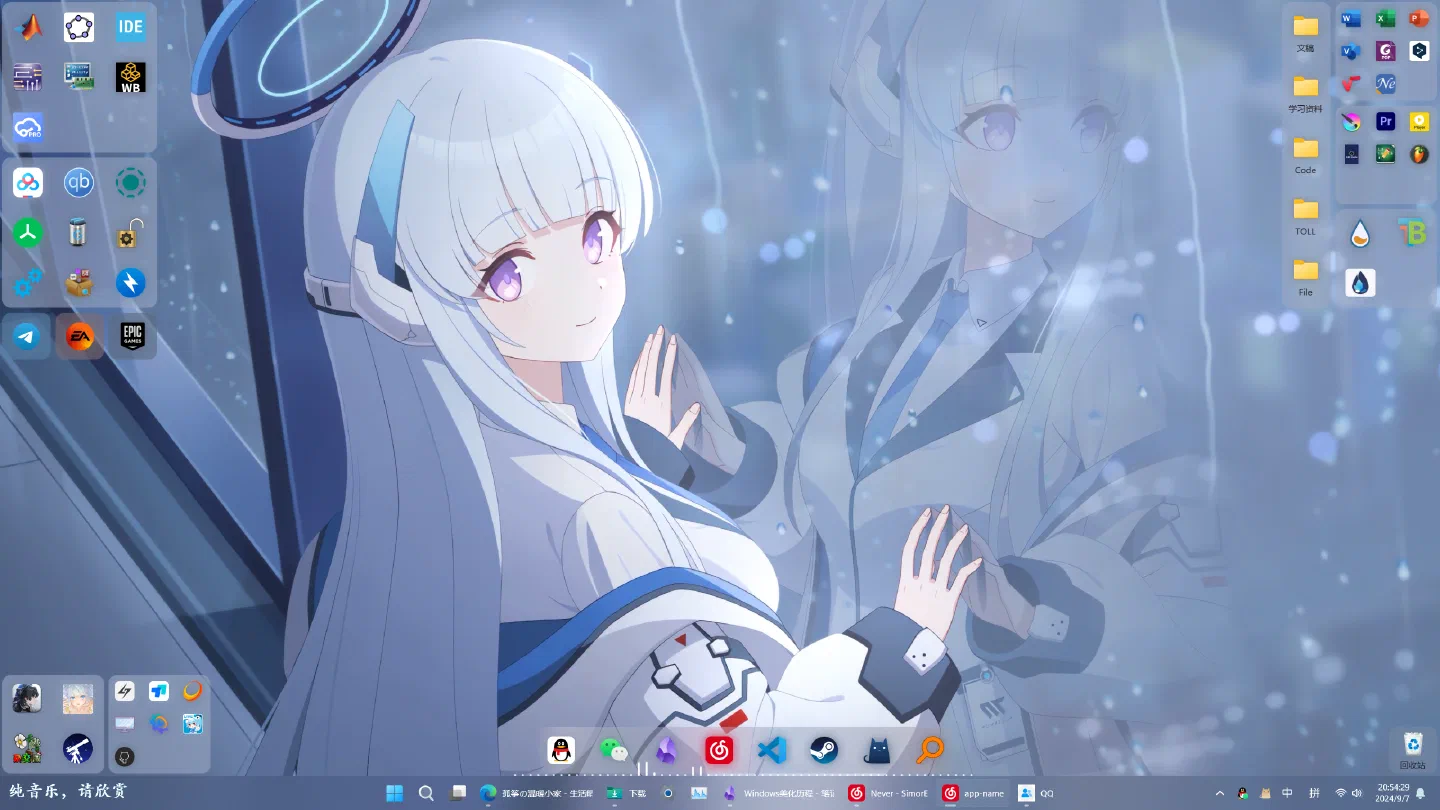
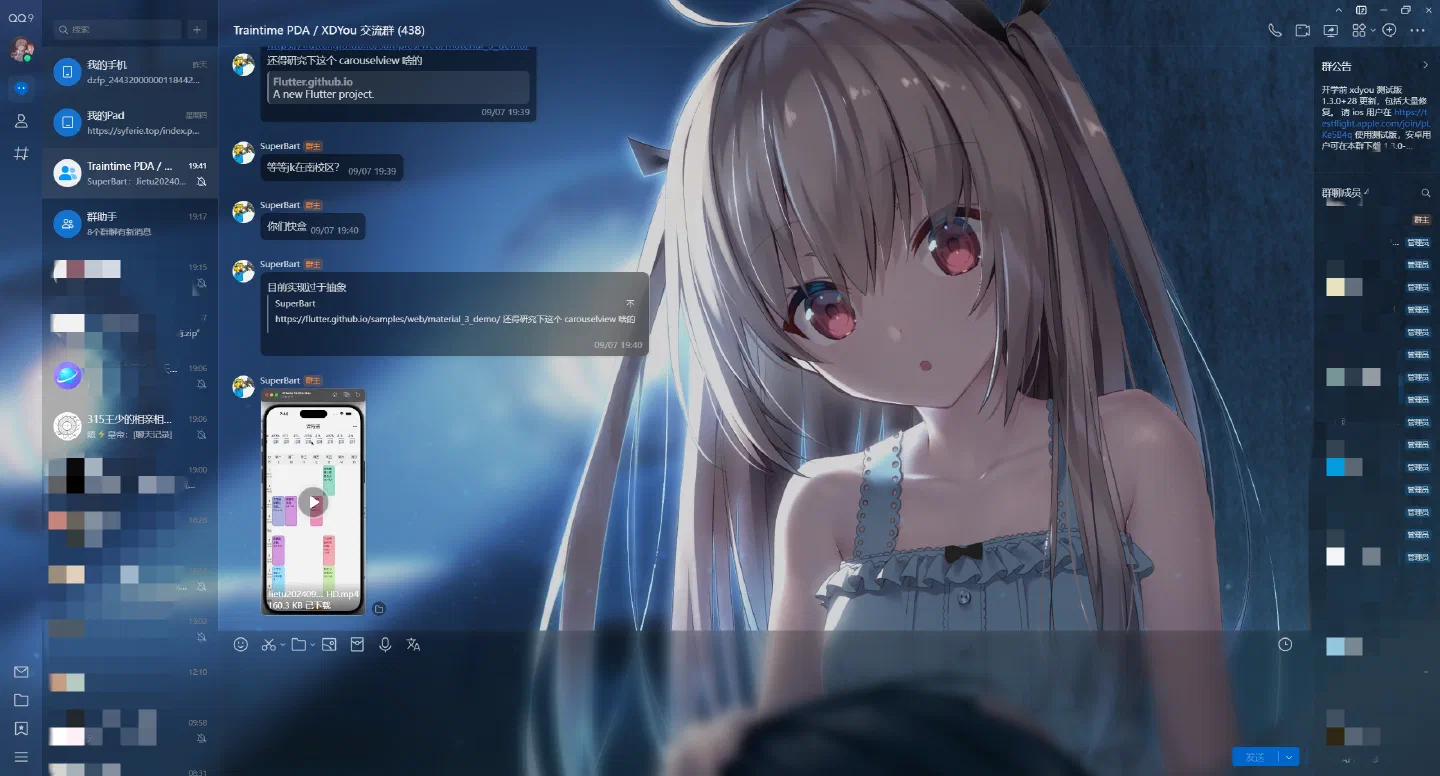
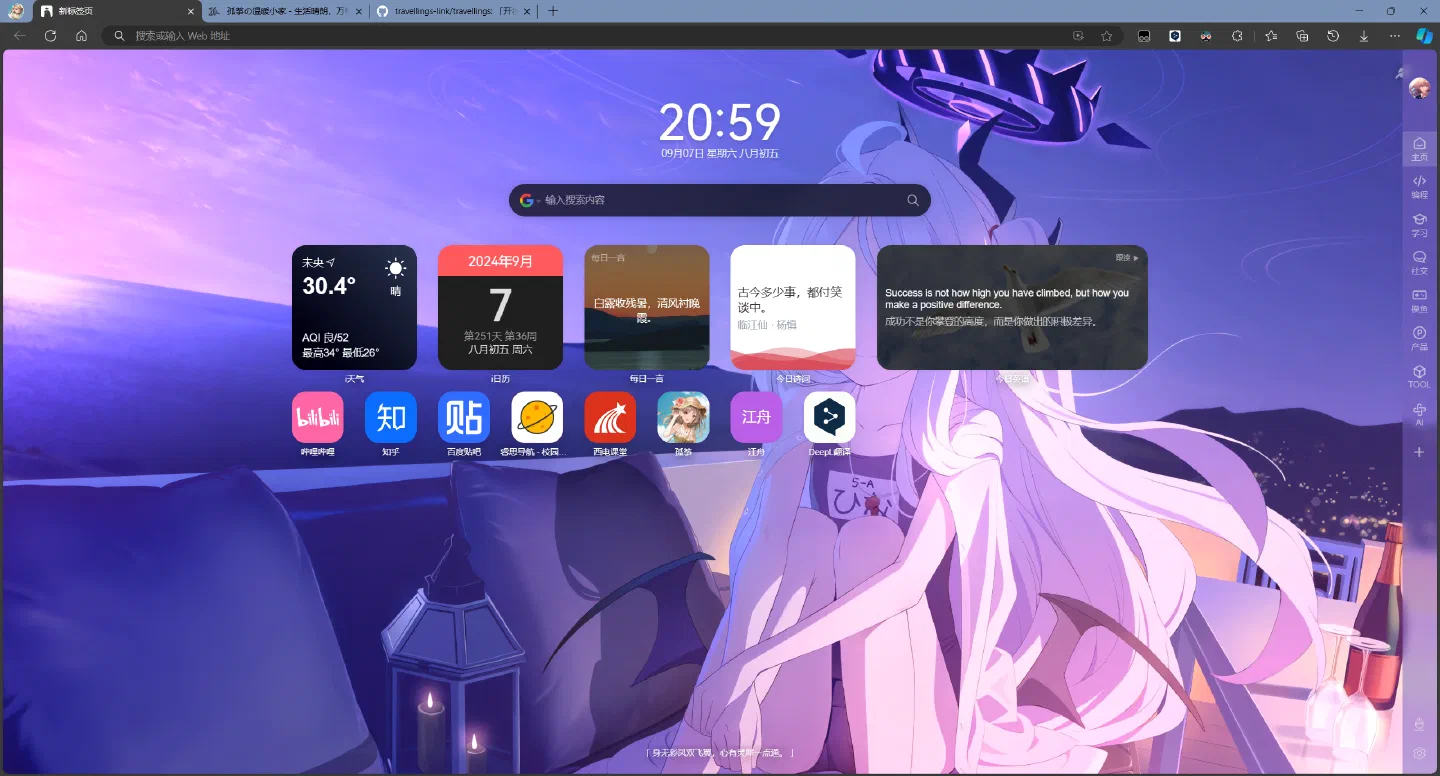
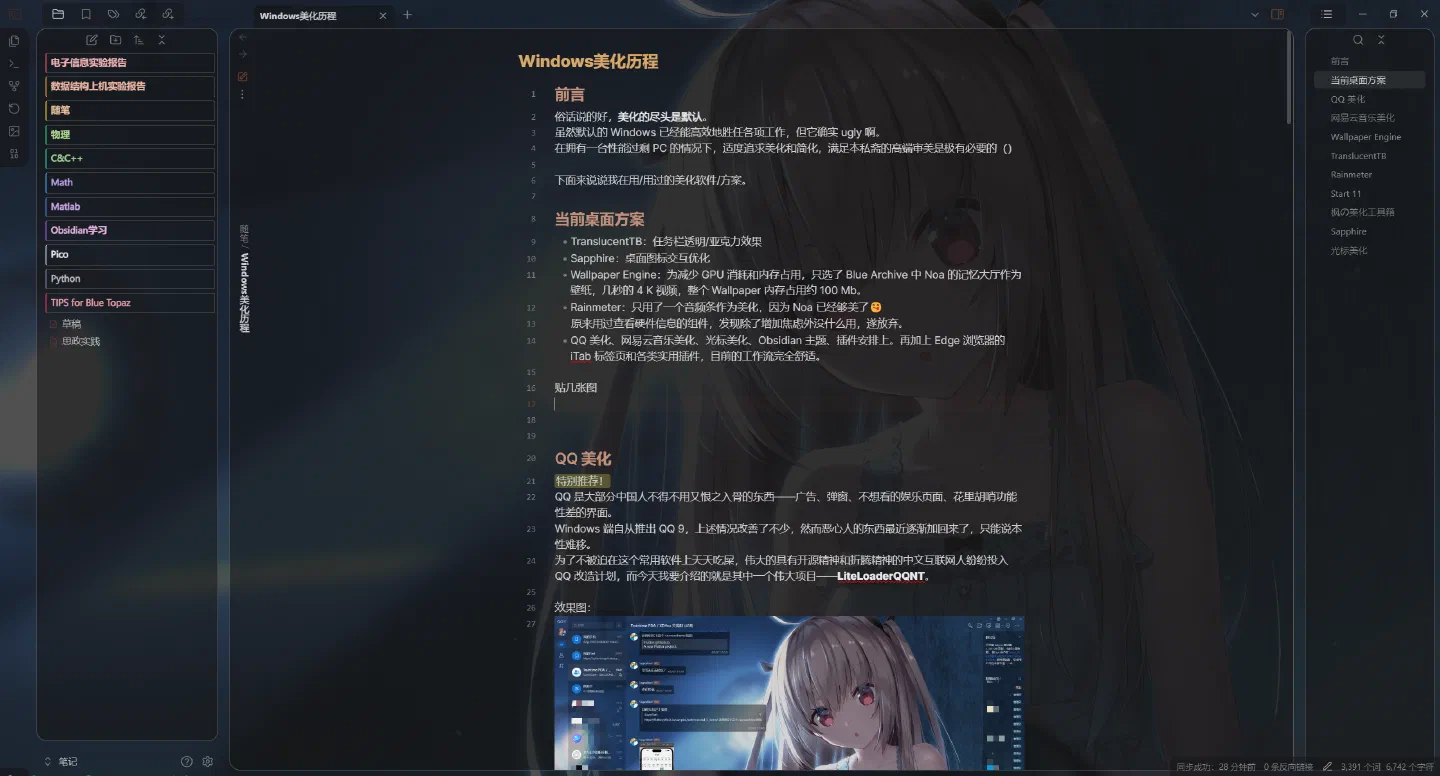
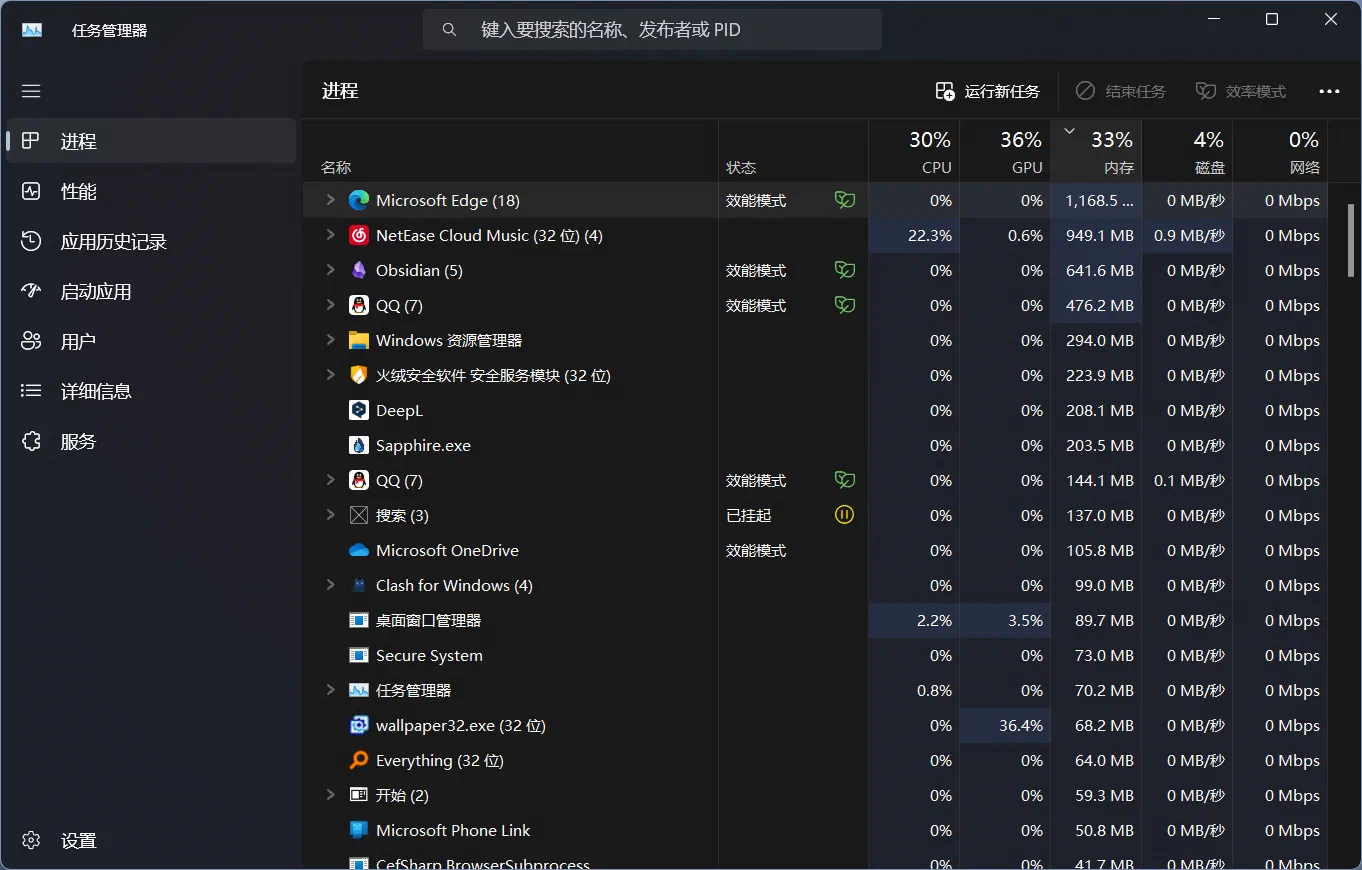
Under this workflow, the browser consumes the most memory, while Wallpaper Engine is the primary GPU load. From login to full autostart, it takes under 10 seconds, all within acceptable performance limits.
Specs:
- 12400 F
- 7700 XT
- 32G DDR4
- 2K 180Hz HDR display
- Windows 11 Pro 23H2
QQ Customization
==Highly recommended!==
QQ is something most Chinese people are forced to use yet despise—ads, pop-ups, unwanted entertainment pages, and a cluttered, dysfunctional interface.
The Windows client improved somewhat with QQ 9, but the annoying elements are creeping back. Old habits die hard.
To avoid enduring this daily torture, the great open-source-minded tinkerers of the Chinese internet have launched QQ overhaul projects. Today, I’ll introduce one such masterpiece: LiteLoaderQQNT.
LiteLoader is a plugin platform for QQNT. After installation, you can download numerous plugins.
GitHub project: LiteLoaderQQNT: QQNT Plugin Loader: Lightweight · Minimalist · Open-Source · Furry
Recommended plugins:
- PluginInstaller: LiteLoaderQQNT plugin installer for easy updates and one-click install/restart. Install this first to simplify adding other plugins.
- LL-plugin-list-viewer: Browse, install, and update LiteLoaderQQNT plugins. Lists most plugins with direct GitHub links. Installation is buggy—some plugins require manual setup, or QQ may fail to start. Best used as a plugin/theme viewer.
- Lite Tools: A multi-functional toolbox to avoid hunting for plugins. Key features:
- Chat interface美化 (Telegram-style: avatars, timestamps, left-aligned messages)
- Remove badges, VIP tags, and other clutter.
- Right-click quick search for text/images, message-to-image conversion.
- Highlight options and special messages.
- Mini-program links → URL cards, remember last position, quick “+1” (repeater).
- Message preview: Generates Telegram-like preview cards from the first link in a message.
- Local emojis.
- Message suffixes.
- Cache and highlight recalled messages.
- Custom backgrounds with brightness, transparency, and blur effects.
- Simplify sidebar (all features toggleable).
- Input box and message box toggles.
- …and more.
- QR Decode: Decodes QR codes in QQNT chat images.
- Directly Jump: Skips QQ’s link warning page.
- DeepL for QQNT: Integrates DeepL translation.
- Markdown: Adds Markdown support. Only renders for other QQNT users with this plugin, so mostly useless.
- Kill-Update: Blocks QQ update prompts (some plugins lag behind QQ updates).
- Window On Top: Adds window pinning.
Themes aren’t covered here—a decluttered QQNT is already decent-looking.
There are also AI plugins (e.g., ChatGPT), but I’m too lazy to set up APIs (no money).
NetEase Cloud Music Customization
==Highly recommended!==
China’s music platforms love bloat: communities, short videos, VIP spam.
A music app needs just a few core features. While standalone players exist, they lack platform perks like song searches, comments, and collaborative listening. Sunk costs (playlists, artist follows, purchases) trap users in these ecosystems.
Thankfully, NetEase Cloud Music has plugins. Here’s the loader: BetterNCM
- Official site: MicroBlock | BetterNCM
- GitHub: GitHub - MicroCBer/BetterNCM
- Community guide: Feishu Doc
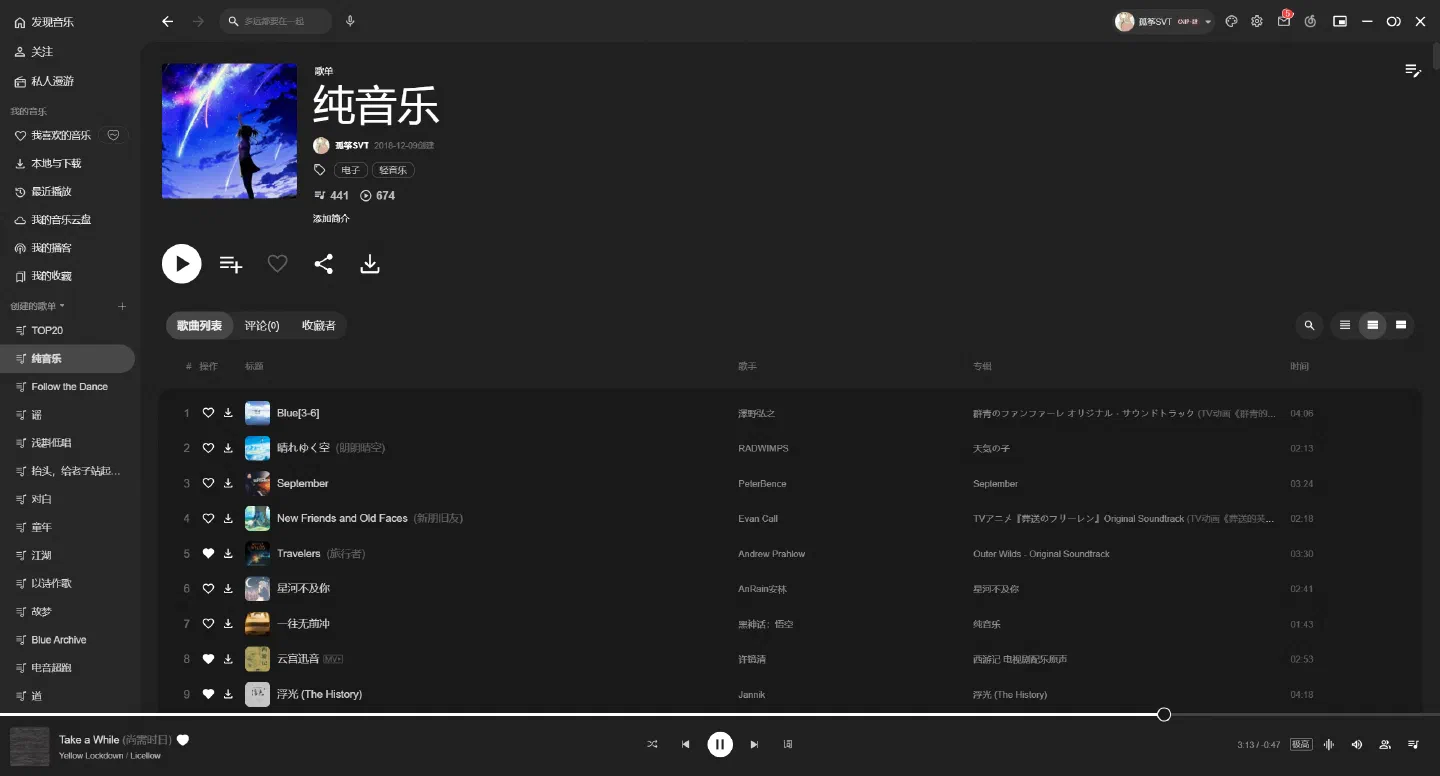
BetterNCM lets you download/update themes and plugins in-app—no GitHub scavenger hunts.
Recommended themes:
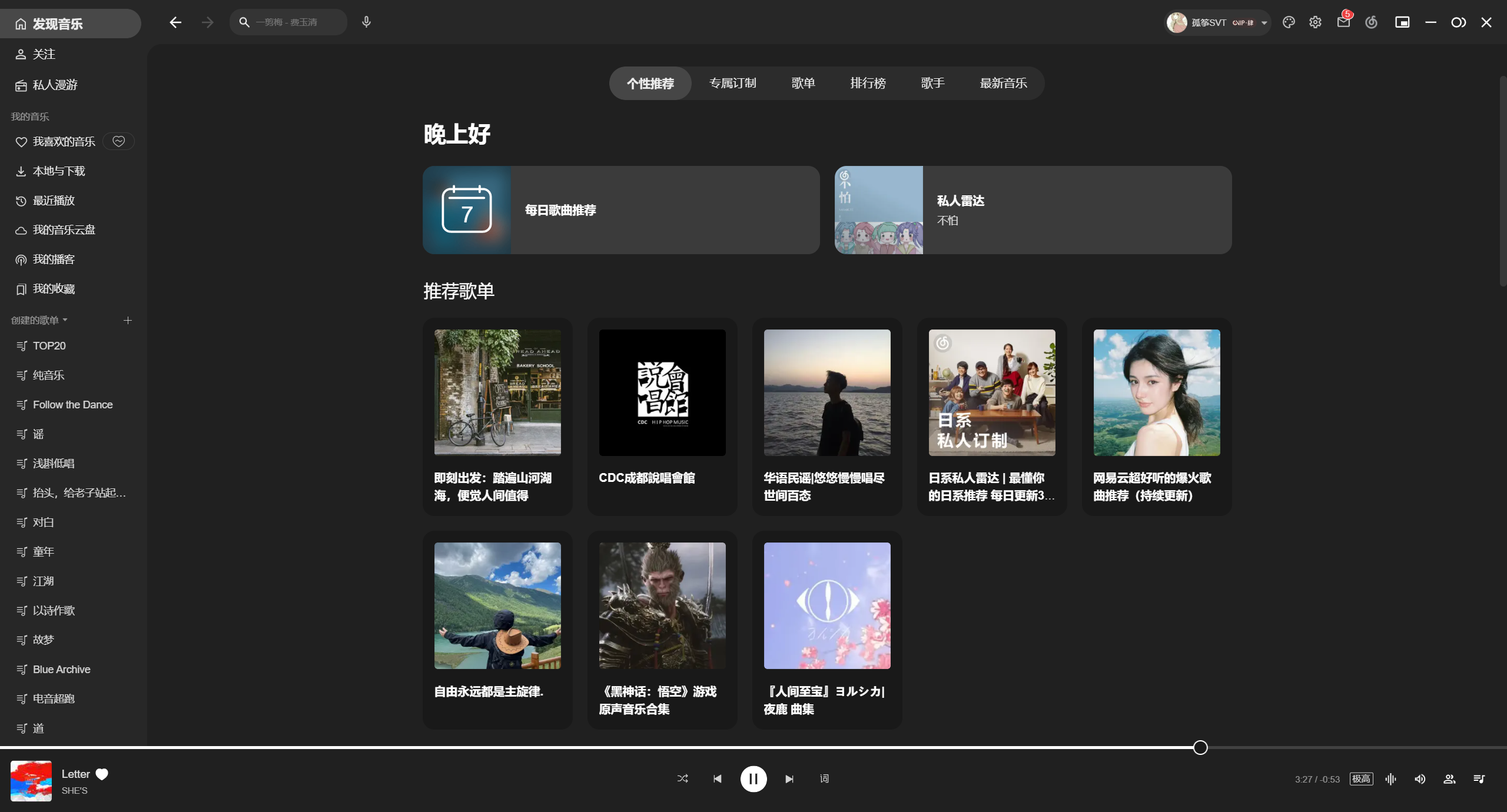
- Materia You: Minimalist, solid-color backgrounds. Multiple color schemes.
Recommended plugins:
RoundCornerNCM: Rounded corners (Windows 11 only).
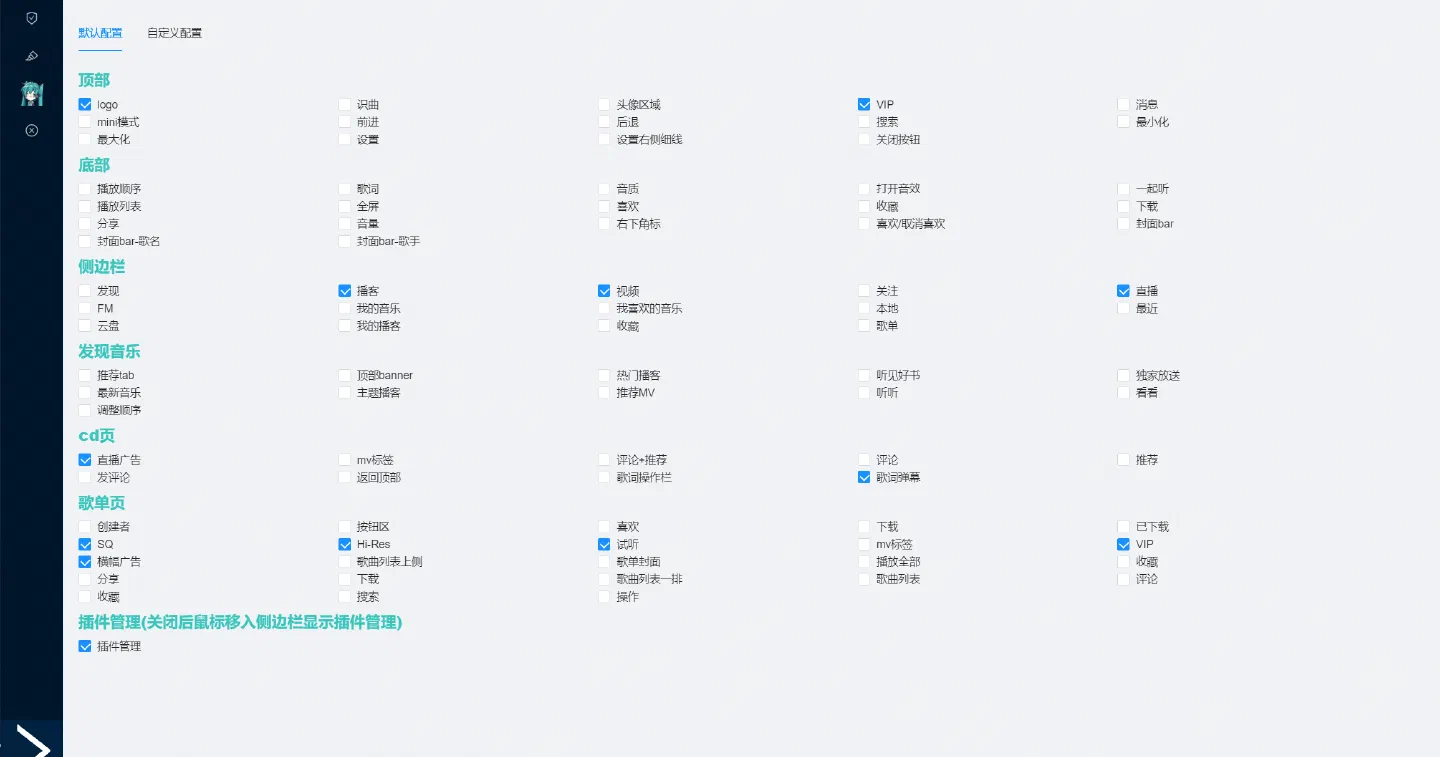
MikuPlugin: Toggles UI elements (e.g., hide videos/livestreams).
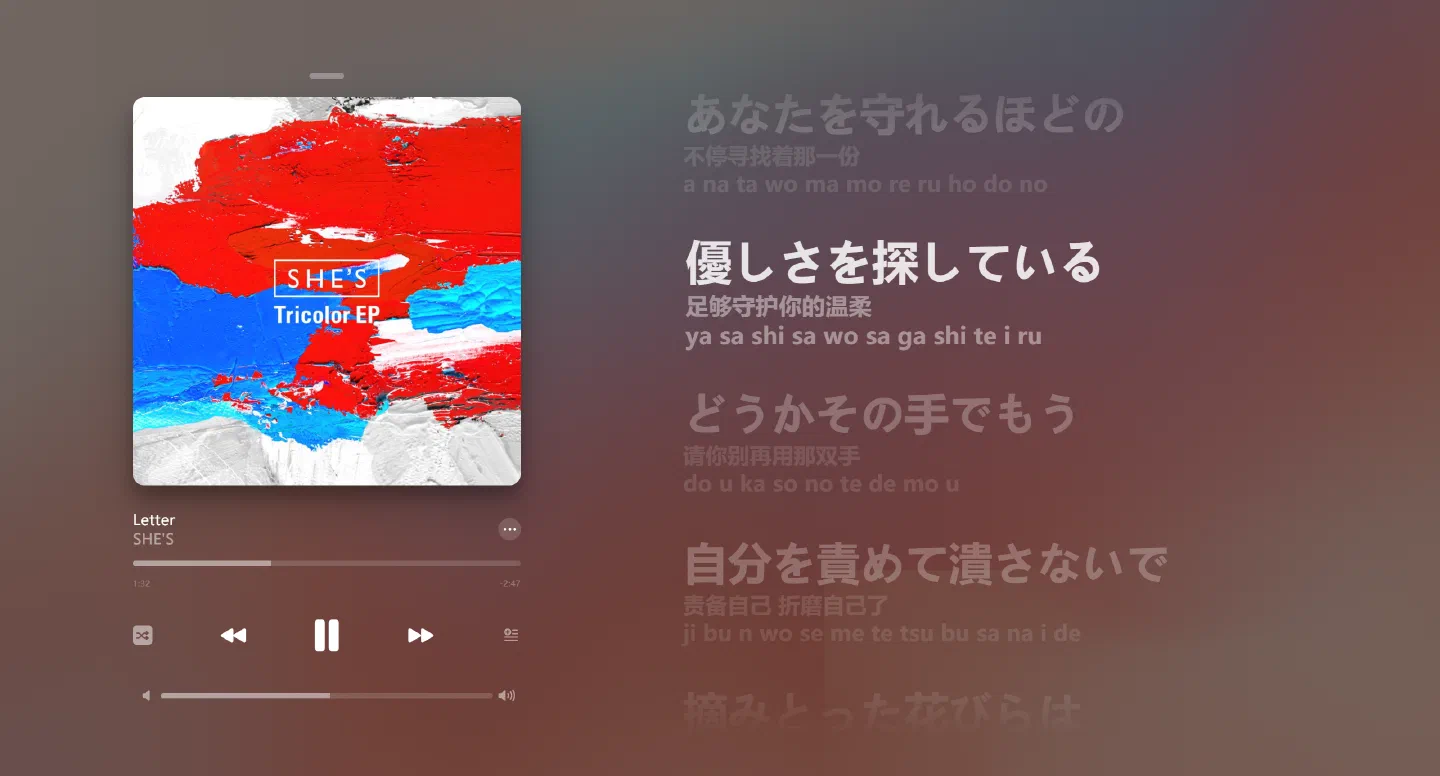
Apple-Style Lyrics: Apple Music-like layout + lyric source switching.
What’s This Cover?: Adds thumbnails to song lists (may cause lag).
RuLyrics: Desktop lyrics (word-by-word, dual-line). Custom fonts/colors. Taskbar embedding (may conflict with TranslucentTB).

Explore more plugins—but check GitHub Issues for conflicts/dependencies.
Wallpaper Engine
==Essential!==
The legendary Steam小红车.
Pros:
- Vast library: Steam Workshop offers endless free wallpapers.
- Diversity: Videos, GIFs, web pages, etc. Many include extras like music visualizers.
- Easy discovery: Filter by resolution, type, age rating, etc.
- User-friendly: Steam integration means no VPNs. Most wallpapers are plug-and-play.
- Mobile sync: Android app mirrors PC wallpapers.
Warning: Complex web/4K wallpapers can hog GPU/VRAM. Tweak FPS/effects in settings.
Only con: Costs 19 RMB on Steam—a fair price.
TranslucentTB
==Highly recommended!==
Tiny tool for transparent/acrylic taskbars. Minimal resource usage.
GitHub: TranslucentTB
Chinese localization: TranslucentTB-CN
Rainmeter
==Highly recommended!==
The OG desktop widget tool. Create or import skins for:
- Hardware monitors (CPU/GPU/RAM)
- Audio visualizers
- Media players
- Anime trackers
- Image galleries
- etc.
Cons:
- Too many widgets = lag
- Some skins are resource-heavy
- Requires tinkering
Official site: Rainmeter
Chinese site: Rainmeter.cn
GitHub: Rainmeter
Chinese forum: BBS
Start11
Start menu/taskbar customizer:
- Revert to Win7/10 styles. Adjust colors, transparency, spacing, alignment.
- Enhanced search: Integrates Edge tabs into results. Option to hide web content!
- Custom start button icons, menu backgrounds, taskbar textures.
Cons:
- Paid (35 RMB lifetime, 30-day trial).
- Felt sluggish for me.
- Conflicts with TranslucentTB.
Official site: Start11
Chinese site: Start11.cn
Steam (mixed reviews): Start11 v2
Maple Customization Toolbox
File Explorer/Start menu/window美化:
Features:
- Custom fonts, light/dark modes (experimental).
- Background images for Explorer/Start Menu/Settings.
- Color schemes (title bars, headers, progress bars).
- Icon packs (desktop/Explorer).
- Window effects: Transparency, blur, acrylic, Mica.
- Title bar buttons: macOS-style, rounded tabs, scrollbars.
- Preset sharing.
- Plugins for extended functionality.
Evaluation:
- Easy to use, moderate resource usage.
- Plugins/configs add replayability.
- Incompatible with TranslucentTB.
- Explorer crashes, missing backgrounds, unthemed toolbars (may be fixed).
- Low-res backgrounds. Dark mode images can obscure text.
- Free but not fully open-source (account required).
Download: 枫の主题社
Sapphire
==Highly recommended!==
Desktop icon/layout overhaul. Revamps interaction:
- Adjust grid spacing.
- Folders-as-grids (phone-style).
- Custom icon/grid size, rounding, transparency.
- Font changes.
- Minimal mode (hide filenames).
- Animations.
- Dock栏 (Mac/phone-style, vertical/horizontal).
- Folder previews (hover to peek, click to expand in-place).
- Steam shortcut optimization.
- Double-click to hide icons (per-item toggle).
- ~100 MB RAM, negligible GPU.
- Custom wallpapers (partial Wallpaper Engine support).
- Multi-monitor.
Cons:
- Advanced folder preview crashes with many files (awaiting fixes).
- No layout saving (though crashes don’t reset it).
- Windows 11 only.
- Overrides desktop right-click (no customization yet).
GitHub: Sapphire-EnhancedDesktop
Cursor Customization
Many cursor packs are shared online. Pick your vibe. Installation is simple.
Two recommendations (subtle yet unique):
- Genshin Nahida cursor: Bilibili video
- Blue Archive Millennium cursor (simple/cute, currently using):
GitHub: BlueArchive-Cursors
Author: 孤筝
Title: Windows Customization Journey
Published: 2024-09-07
Updated: 2024-09-07
License: CC BY-NC-SA 4.0
Sponsor / I took a taxi home for sixty or seventy dollars!


When will I have a drink and discuss the details again?